
Introduction
Picture this. You’ve spent months building your product. The code works. The beta testers love it. But when you finally launch your website, crickets.
Here’s the problem: 90% of startups fail, and a weak web presence is often the silent killer. Your startup landing page isn’t just a digital business card it’s your first employee, your best salesperson, and often the only shot you get at making an impression.
I’ve seen brilliant products die because their websites couldn’t hold attention for more than five seconds. The good news? Creating a page startup that actually converts doesn’t require a six-figure budget or a design degree.
In this guide, we’ll walk through everything you need to know about building a startup landing page that turns visitors into customers. No fluff, just practical steps you can implement today.
What Is a Page Startup? Understanding the Foundation
A page startup (or startup landing page) is a focused web page designed to validate your business idea, capture leads, and drive conversions before you invest in a full website. Think of it as your business’s MVP minimum viable presence.
According to Databox research from 2024, most landing pages see conversion rates between 1-10%, with many hovering below 5%. But here’s what most people miss: the top-performing startup pages consistently hit conversion rates above 10% by following specific design and content principles.
Two Main Types of Startup Pages
Lead Capture Pages collect email addresses or signups so you can follow up later. These work great when you’re testing market interest or building an audience before launch.
Click-Through Pages warm up visitors and push them toward immediate action signing up for a trial, scheduling a demo, or making a purchase.
Slack started with just a single landing page. They tested messaging, measured demand, and collected beta signups. Only after proving the concept did they build a full website. That’s the power of starting with a focused page.

Why Your Startup Absolutely Needs a Strong Landing Page
Let’s talk about what a well-designed page startup actually does for your business.
Speed to Market
You can launch a landing page in days, not months. Test your idea, capture leads, and start building momentum without paying for full website development.
Build Credibility Fast
A professional page startup establishes trust with potential customers, investors, and partners. It shows you’re serious, even if you’re just getting started.
Generate Leads from Day One
Your landing page works 24/7 to capture interested prospects. While you sleep, it’s collecting emails, scheduling demos, and moving people through your funnel.
Test and Optimize Before Scaling
Run A/B tests on headlines, offers, and calls-to-action. Learn what resonates with your audience before investing in expensive marketing campaigns.
Cost-Effective Marketing Hub
According to research from 2025, crypto startups alone raised $5.85 billion in Q1 2025 (61% of all 2024 capital raised). A strong web presence is essential to attract investors and customers in competitive markets.
Essential Elements Every High-Converting Startup Page Needs
Building a page startup isn’t about cramming everything onto one screen. It’s about strategic placement of specific elements that guide visitors toward action.
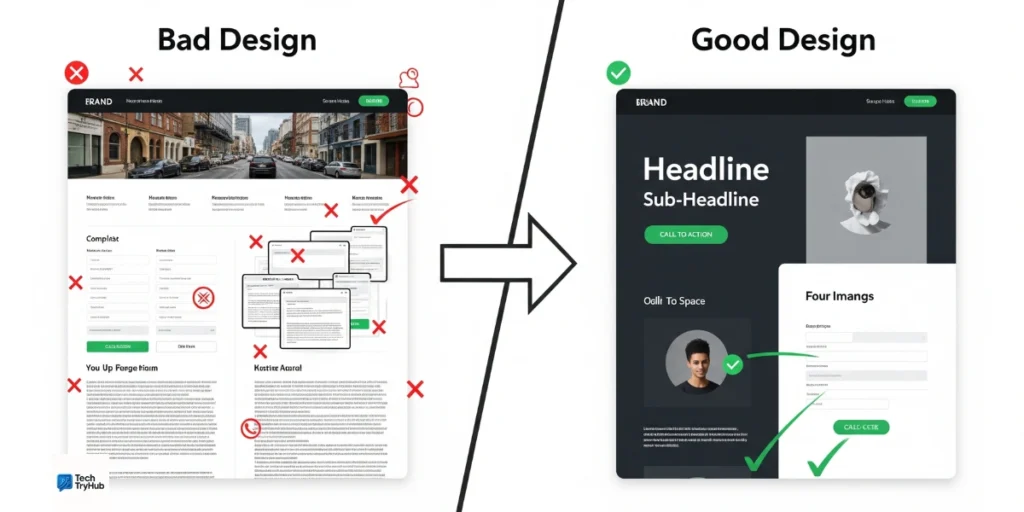
Clear Value Proposition (First 5 Seconds)
Your headline needs to answer one question immediately: “Why should I care?”
Bad headline: “Welcome to Our Platform”
Good headline: “Cut Your Team’s Meeting Time by 40% With AI-Powered Agendas”
Place your value proposition above the fold. Visitors decide whether to stay or leave within seconds. Make those seconds count.
Compelling Hero Section
Your hero section sets the tone. Include a punchy headline, a brief subheadline explaining your solution, and a single, prominent call-to-action button.
Desktop users have slightly higher conversion rates than mobile (2.8% vs 2.89% according to 2024 data), but mobile traffic often dominates. Your hero section must work perfectly on both.
Social Proof That Builds Trust
People trust other people more than they trust companies. Include testimonials, client logos, press mentions, or user statistics.
“Trusted by 50,000+ teams” carries weight. “Used by companies like Netflix, Stripe, and Airbnb” carries even more.
Benefit-Focused Copy (Not Feature Lists)
Features tell. Benefits sell.
Feature: “Cloud-based storage”
Benefit: “Access your files from anywhere, even if your laptop crashes”
Every section of your page startup should answer “What’s in it for me?” from your visitor’s perspective.
Simple, Friction-Free Forms
The fewer fields you ask for, the more submissions you’ll get. Ask for email only if that’s all you need. Add phone number or company size only if those fields are absolutely necessary.
According to 2024 research, form abandonment rates remain high when startups ask for too much information upfront.
Strong, Action-Oriented CTAs
Your call-to-action button should use active language and create urgency.
Weak CTA: “Submit”
Strong CTA: “Start My Free Trial”
Even Better: “Get Instant Access”
Test different CTA copy. Small changes here can create significant conversion lift.
Step-by-Step: How to Create Your Startup Landing Page
Let’s walk through the actual process of building your page startup from scratch.
Step 1: Define Your Primary Goal
Before opening any design tool, answer this: What’s the one action you want visitors to take?
- Collect email addresses for beta signups?
- Schedule product demos?
- Start free trials?
- Make direct purchases?
Having multiple goals dilutes your message. Pick one primary conversion action.
Step 2: Understand Your Target Audience
Who are you building this for? Get specific.
Don’t say “small business owners.” Say “SaaS founders with 5-20 employees who struggle with customer onboarding.”
The more clearly you understand your audience’s pain points, the more effectively you can speak to them.
Step 3: Choose Your Website Builder
You’ve got options. Here’s what matters for startups in 2025:
No-Code Builders (Wix, Webflow, Dorik)
Best for non-technical founders who need speed. Drag-and-drop editors, pre-built templates, and integrated hosting. Costs range from $0-$500/year.
WordPress + Landing Page Plugins (SeedProd, Elementor)
Good middle ground. More customization than no-code builders, easier than coding from scratch. Ideal if you plan to add a blog later.
Custom Development
Only necessary if you have specific technical requirements or unique functionality. Expect $5,000-$30,000+ in development costs.
For most startups, a no-code builder gets you 90% of what you need at 10% of the cost.
Step 4: Select a Template and Customize
Start with a professionally designed template. Trying to design from scratch usually leads to decision paralysis and amateur-looking pages.
Look for templates with:
- Mobile-responsive layouts
- Fast loading speeds
- Clear visual hierarchy
- Built-in form integrations
Then customize with your brand colors, logo, and content. Keep the proven structure, make it yours visually.
Step 5: Write Benefit-Driven Copy
Here’s the formula: Problem → Agitation → Solution → Proof → Action
Start by acknowledging your visitor’s problem. Make them feel understood. Then present your solution as the clear answer. Back it up with social proof. Finally, give them a simple next step.
Keep paragraphs short (2-3 sentences max). Use bullet points for lists. Break up text with images and white space.
Step 6: Add High-Quality Visuals
Images aren’t decoration. They’re communication tools.
Use visuals to:
- Show your product in action
- Demonstrate results
- Put faces to testimonials
- Break up text sections
- Guide eye movement
Avoid generic stock photos. Real screenshots, custom graphics, and authentic photos build more trust.
Step 7: Optimize for Mobile Users
More than half your traffic will come from mobile devices. Your page startup must work flawlessly on small screens.
Test on actual phones, not just browser simulators. Check:
- Text readability without zooming
- Button size (minimum 44×44 pixels)
- Form field ease of use
- Image loading speed
- CTA visibility without scrolling
Mobile optimization isn’t optional anymore. It’s survival.
Step 8: Set Up Analytics and Tracking
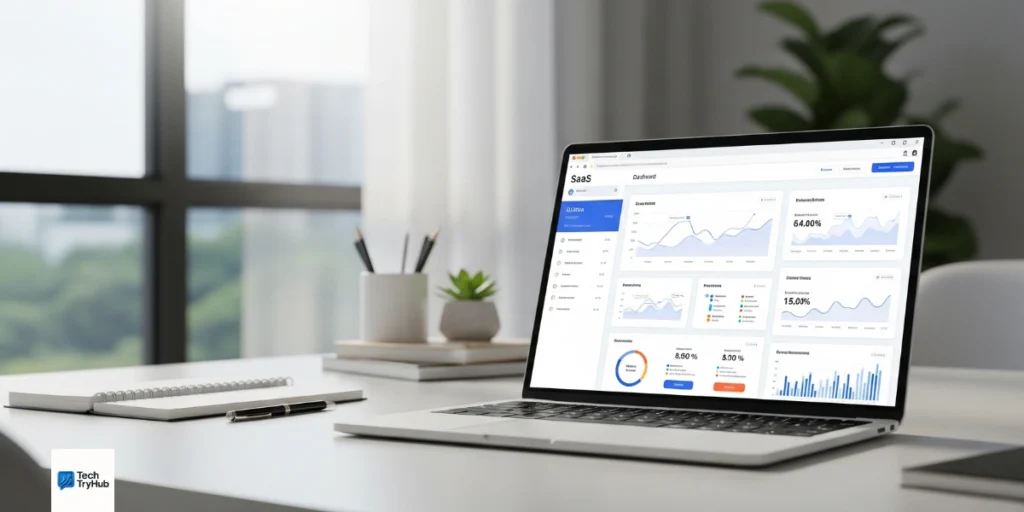
You can’t improve what you don’t measure. Install Google Analytics (or similar) before launch.
Track these metrics:
- Total visitors
- Bounce rate
- Time on page
- Form submission rate
- Traffic sources
- Device breakdown
Set up conversion goals so you know exactly how many visitors take your desired action.
Step 9: Test, Launch, and Iterate
Run through your page as a first-time visitor. Is the value clear? Are there confusing elements? Does every link work?
Get feedback from friends, potential customers, or online communities before your official launch.
After launch, implement A/B tests on:
- Headlines
- CTA button copy and color
- Form fields
- Images
- Pricing display (if applicable)
Small improvements compound. A 10% conversion rate increase might not sound dramatic, but it can mean dozens more customers per month.
2025 Design Trends for Startup Landing Pages
Web design evolves fast. Here’s what’s working in 2025.
Bold, Block-Based Layouts
Large content blocks with vibrant color contrasts create visual impact while maintaining usability. This trend balances aesthetics with function.
AI-Powered Personalization
Dynamic content that adapts to user behavior creates more engaging experiences. Show returning visitors different messaging than first-time guests.
Minimalist Aesthetics
Clean layouts with generous white space help visitors focus on what matters. Complexity loses attention. Simplicity converts.
Interactive Elements
Subtle animations, hover states, and dynamic content keep users engaged. Don’t overdo it animations should enhance the experience, not distract from it.
Dark Mode Options
Offering both light and dark versions of your page respects user preferences and can reduce eye strain for certain audiences.
Common Mistakes That Kill Startup Landing Pages
I’ve audited hundreds of startup pages. These mistakes show up over and over.
Confusing Value Proposition
If someone can’t explain what you do in 10 seconds after visiting your site, your messaging is broken.
Too Many CTAs
Multiple competing calls-to-action confuse visitors. They either click the wrong thing or click nothing at all.
Slow Loading Speed
Every second of delay costs you conversions. Optimize images, minimize scripts, and use fast hosting.
No Mobile Optimization
If your page looks broken on phones, you’re throwing away half your potential customers.
Ignoring Social Proof
Nobody wants to be the first customer. Show that real people use and love your product.
Writing About Features Instead of Benefits
Your visitors care about their problems, not your technical specifications.
Real Startup Page Examples That Actually Convert
Let’s look at what works in practice.
Modalyst: eCommerce Made Simple
Modalyst uses clean design with just two guiding colors to establish authority. Their homepage immediately directs attention to “View Products” because they know their target market wants to see the goods before committing.
Moving images showcase designer brands and eco-friendly suppliers, answering questions before visitors even ask them.
Cinera: Selling a Vision
Cinera sells cinematic experiences with headphones. Their page uses high-quality product photography from multiple angles, video demonstrations, and infographics to tell a complete story.
The use of gradients creates a futuristic feel that matches their innovative product.
Lengo.AI: Clarity Wins
Lengo.AI makes a strong first impression by explaining their value fast. Clean design, smart copy, and clear action paths. Client logos and press mentions build trust without stealing focus.
The animated hero keeps things dynamic without getting in the way.
Advanced Optimization Strategies
Once your basic page startup is live, these tactics can push performance even higher.
Implement A/B Testing
Test one element at a time. Change your headline for half your visitors and measure which performs better. Then test your CTA. Then your images.
Professional tools like Google Optimize or Optimizely make this process simple.
Use Heat Mapping
See exactly where people click, how far they scroll, and where they lose interest. Tools like Hotjar reveal patterns you’d never notice otherwise.
Optimize for Voice Search
More people use voice assistants to find products and services. Structure your content to answer natural language questions.
Speed Up Load Times
Compress images without losing quality. Minimize CSS and JavaScript. Use a Content Delivery Network (CDN). Every millisecond matters.
According to 2024 data, pages that load in under 2 seconds see significantly higher conversion rates than slower competitors.
Add Live Chat
Sometimes visitors just have one quick question. Live chat (or AI chatbots) can answer it immediately and push them toward conversion.
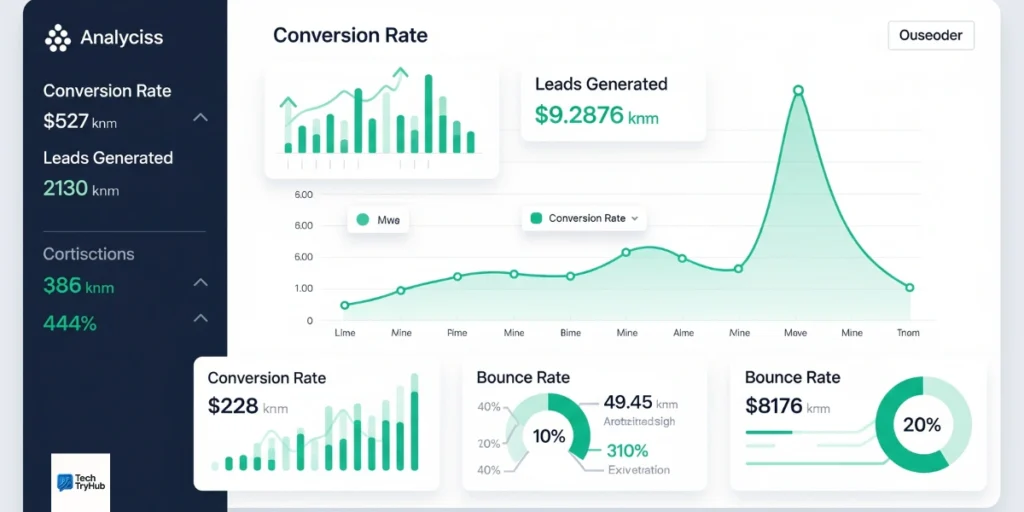
Measuring Success: Key Metrics That Matter
Focus on metrics that actually indicate business health.
| Metric | Good Target | Great Target |
|---|---|---|
| Conversion Rate | 3-5% | 10%+ |
| Bounce Rate | <60% | <40% |
| Time on Page | 1-2 min | 3+ min |
| Form Completion Rate | 20-30% | 40%+ |
| Mobile Conversion Rate | 2-3% | 5%+ |
Track these weekly. Small consistent improvements create massive results over time.
Tools and Resources for Building Your Page Startup
Here are the tools I actually recommend (no affiliates, just honest picks).
Website Builders:
- Wix: Best for beginners
- Webflow: Best for designers
- Dorik AI: Best for AI-powered building
- WordPress + SeedProd: Best for content-heavy sites
Design Resources:
- Unsplash / Pexels: Free stock photos
- Canva: Easy graphic design
- Figma: Professional design tool
Analytics:
- Google Analytics: Free, comprehensive
- Hotjar: Heatmaps and recordings
- Microsoft Clarity: Free alternative to Hotjar
Testing:
- Google Optimize: A/B testing
- Optimizely: Advanced testing platform
Key Takeaways:
- Start with a focused page startup before building a full website
- Include clear value propositions, social proof, and strong CTAs
- Optimize for mobile users from day one
- Test and iterate based on real user data
- Focus on benefits over features
- Keep design simple and conversion-focused
- Launch quickly and improve continuousl
Conclusion: Building Your Page Startup Today
You’ve got the knowledge. Now it’s time to build. Start simple. Pick a website builder. Choose a template. Write your headline. Add your CTA. Don’t aim for perfection on day one. Launch something functional, then improve based on real user data.
The startups that win aren’t the ones with the fanciest designs. They’re the ones that ship quickly, test constantly, and optimize relentlessly. Your page startup is waiting. Build it today, improve it tomorrow, and watch it grow with your business.
Remember: every successful company you admire started with a simple page and a bold idea. Your turn.
FAQ: Your Startup Landing Page Questions Answered
How much does it cost to build a startup landing page?
DIY builders cost $0-$500 per year including domain and hosting. Custom development runs $5,000-$30,000+. Most startups succeed with the budget-friendly option.
How long does it take to create a startup page?
With no-code builders and templates, you can launch a professional page in 1-3 days. Custom development takes 2-6 weeks depending on complexity.
Do I need coding skills to build a page startup?
Not anymore. Modern no-code builders let anyone create professional pages with drag-and-drop interfaces. No coding required.
What’s the ideal length for a startup landing page?
Long enough to answer key questions, short enough to maintain attention. For simple products, aim for 1-2 screens of content. For complex B2B solutions, 3-5 sections work better. Test what resonates with your audience.
Should I use video on my landing page?
If you can show rather than tell, yes. Product demos, explainer videos, and customer testimonials perform well. Keep videos under 2 minutes and ensure pages load quickly.
How often should I update my startup page?
Update content weekly or bi-weekly. Refresh design elements annually. Update products/services as they change. Security patches and software updates should happen immediately.
Can I run ads to my startup landing page?
Absolutely. Landing pages are ideal for paid traffic because they’re focused on one conversion goal. Just make sure your ad messaging matches your page copy.